Start with one clear, full-body photo
Show one adult from head to shoes, facing the camera, with the face in focus. Keep the arms and legs visible and leave a little room around the body. The photo below is an actual input used for the dance example on this site.
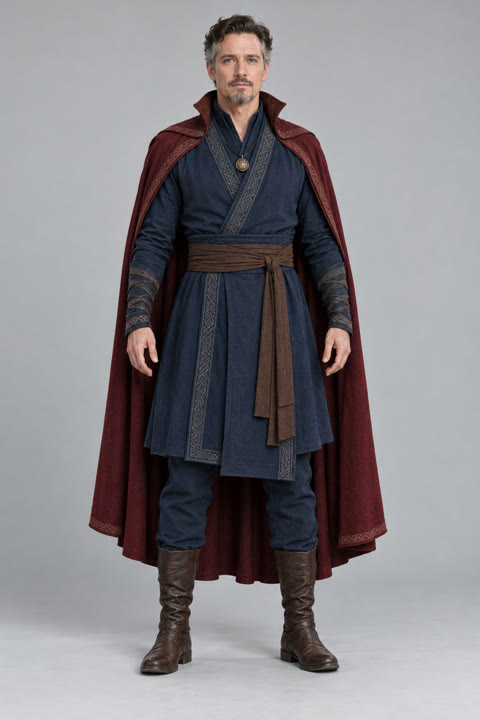
What makes a photo harder to use?
| Photo issue | What to change | | --------------------------------------- | -------------------------------------------------------------------------- | | Head or feet cropped out | Choose a wider photo; missing body and clothing details must be generated. | | Hands, hair or an object cover the face | Choose a photo with the face unobstructed. | | Dark light, blur or strong filters | Use an evenly lit, sharp photo with natural detail. | | Several people | Pick a photo of one person so the intended subject is clear. |
A close-up can still be uploaded, but the model must invent the outfit and body outside the frame. A full-body photo provides more of those details; it does not guarantee an exact result.
File requirements
JPG, PNG, WebP or HEIC, up to 10 MB. If an upload cannot be read, export it as JPG and retry. Use a photo you have permission to use and confirm the person’s agreement.